Monday, March 19, 2018

Kaypro II -- Officially my oldest vintage computer

I found a Kaypro II on Ebay for about $250. It was totally worth it for a piece of history, and especially since the seller claimed that it was in working condition. That's always good, because if it isn't then Ebay will back you up if you complain that it was falsely advertised as working. So when I got the big heavy box on my doorstep, I knew it had to be the Kaypro.

The Kaypro and this Kaypro II were direct competition for the Osbourne portable computer. This was 1980-81, which was the time just before the world decided that PC/DOS and Apple II computers were going to be the big go-to personal computers. There was a lot of diversity at the time, and Osbourne was the only portable when it came out. They sold the whole computer, software and all. For $1750.00, you got the computer, 2 floppy drives, a tiny 5" screen, the CP/M operating system running a Z-80 CPU, and a bundle of software that Osbourne said was a complete package, which gave you everything you would need to get started and more. The Kaypro line of computers sold for $200 less, and gave you a larger 9-inch screen A Z-80 CPU, CP/M, and an similar "knock-off" suite of similar software. In my opinion, the Kaypro was better for those reasons, but also for it's simplicity of design, and use of many commonly available parts.

Here's the back of the box showing the serial Number and the places where the cables all connect. The coiled Phone cable is the keyboard cable, and yes -- it's just an ordinary handset cable. If you break it or lose it, you only needed to go buy a new one at any department store. A Genius Move by the designer to make it easy to maintain.

The Handle is a standard part, the exact same type of retractable suitcase handle that you find on so many toolboxes and luggage sets, even today. This was another way that the Kaypro stood out. Many of it's parts are readily available and/or universal, which is another plus, especially if something breaks.

Where the Osbourne's power cord was separate, stored inside of a compartment on the side of the computer, which had to be removed and plugged in, the kaypro used an ingenious scheme for cable wrangling and storage. The plastic cable-clips had a special design that let you insert the 3-prong power cord into them. This little socket let you simply wrap the cord around the plastic guides and snap it into place, and it stayed there, unless it got tugged hard enough to pull it out.

The Power Switch

The Brightness control knob

Some people (Probably Osbourne users) complained that the Kaypro and this Kaypro II were "ugly gray boxes". But seriously, having a 2-piece metal case like this is great for shielding and durability. The Osbourne had a metal case surrounded by plastic, which meant that it likely cost more for the case, and that parts were more breakable, and at least some were proprietary.

The bottom of the keyboard has screw-down rubber feet, and the case is made of solid aluminum. It's held on with the same plastic latches that you find on many tool boxes and luggage.

Here are the latches

Keyboard latched shut

After snapping the latches open, you just lift the keyboard off of the face of the Kaypro, and pull it off.

Like this...

The storage space for the keyboard cable was just under the keyboard. This was a pretty good move, because it meant that unlike the Osbourne, there was no special storage compartment for it.

The keyboard is actually pretty aesthetically pleasing, as well as built like a tank. It has an all-metal enclosure, and great feeling full-stroke keys.

The Phone-like Cable just clips into the keyboard keyboard with a click.

Here is the Kaypro resting on top of keyboard, as was customary at the time.

After plugging it in, attaching the keyboard cable, and powering it on, I am greeted with a nice green "Please insert your diskette into drive A:", which is a very good sign that we have a working computer!

While waiting for my Kaypro Discs to arrive, I decided to open it up and give the floppy drives a good lube and cleaning. So I removed the 6 screws holding the case together, and this is what I saw. Can you spot the Z-80? The RAM, and the ROM chips?

The Screws were all rusty, so I used a fiberglass scraper to remove the rust, and make them shiny like new again. The Motherboard sits right on top of everything in the case. This was another great idea, because it meant that your first upgrades would be easy to get to -- assuming that you were upgrading the RAM, or having your BIOS updated, or that you might need to replace a bad CPU...

Here is the power supply for the monitor. The Kaypro had to separate power supplies, one for the monitor, and one for the Computer and floppy drives.

Here's the Main Power Supply for the drives and Mainboard, screwed right into the back of the case.

The Back of floppy cage. This is a very similar arrangement to the TRS-80 -- a metal drive cage into which the floppy drives get screwed -- no rails or guides -- just screw holes where needed. The screws are Hex-type -- the only big flaw, in my opinion. I would have made all of the screws in the computer the exact same type. The drive screws are the only screws, other than the two beveled ones on top of the case, that are different from the rest. Having most of the screws be identical cuts down on any confusion about which screws go where.

Here is The Floppy Cage after removing the drives.

The view from the front.

The Drives are both Tandon drives -- The same exact ones that are used in the TRS-80 and the IBM PC. As with my TRS-80 and IBM PC, the drives, in spite of being over 30 years old, look practically like new -- all shiny and dust free. I still am amazed that this is the norm for these old drives. It's a good sign that they're likely in great working condition.

After re-assembling everything, it looks pretty nice. The things I did so far are:

  • Clean the floppy drive Read/Write heads.
  • Lubricated the floppy drive motor shafts, rods, and bearings.
  • Removed the rust from the heads of the screws.
  • Washed the case on all sides.
  • Cleaned the monitor face with windex.
  • Washed the plastic Bezels of the screen and floppy drives with special plastic cleaner.
I will continue the article after I have some bootable floppies to test it out with. there is a sizable software library online for the Kaypro, and I plan to at least get some of the more interesting titles to demo on it. I love CPM more than DOS. I always thought it was a much smarter OS, but well, who can say no to GUI these days? Remember back in the day, when you had to memorize a couple of dozen commands to be able to manage your software? I don't miss them that much.

Wednesday, February 28, 2018

TRS-80 Color Computer 2


The very first computer that I ever Owned was a silver TRS-80 Color Computer. At $400, it was one of the cheapest computers. Having a friend who already had one and seeing it in action was what convinced me to get it.

I just purchased a Color Computer 2 off of ebay for $69. It's on the way as of this writing. I am looking for a Floppy controller and drives for it. I know that any 5.25" 360K disk drives from PCs should work, if I have to come up with my own. I won't pay $100 or more for a floppy drive when you can still get them for $35 in almost new condition. My Color Computer was upgraded with an after-market keyboard that put a real keyboard in place of the chicklet/membrane keyboard of the original Coco. This will not be an important part of the one I look for.

I am still looking for a color computer model 1, because the CoCo-2, even if it works, is not as significant. But while I have the $69 Coco-2, I can at least get started with getting discs and software set up, so that when I do get the original CoCo, it will have software ready for it.

My original Color Computer looked like the Below image, until I removed the silver paint, leaving the whole thing black.

This is what the original looked like, with it's red, white, and black chicklet keyboard.

ADDENDUM
Due to my overly pessimistic bidding habits on Ebay, I assumed that if I placed a bid on 3 different Color Computers, I'd get at least one of them, should a bidding war break out at the last minute. Most of the computers I've bid on recently ended in bid wars, where I either stopped when the price got too high, or someone placed a bid for $1 more at the last minute and won. This time, however, I ended up winning all of them, while only expecting just one. So now I have a Color Computer 2 and 2 original Color Computers, 2 of which have disk controllers. Looks like I'll be selling at the MIT flea market again!

ADDENDUM
The Coco 2 turned out to be 16K, and had no extended BASIC ROM. This was not what the seller advertised. He clearly said it was the 64K model. So I ended up returning it for a refund. The other 2 original Color Computers actually arrived. Both are in perfect working condition, and the one with the floppy drive is working. I now have 2 of them with disk controllers. All I need is a floppy drive for the second one. The one that had no accessories ended up being fully restored -- it was repainted with the correct silver pain, and looked new. The inside was spotless, also. I have a friend whom I'll be giving it to. I decided that it'll be better to do that than just sell it.

Thursday, February 22, 2018

Apple 2E from Ebay

I got this Apple 2E with 2 floppy drives, from an Ebay sale. The seller said that it's been tested and works, but he's doesn't have any disks to test the floppy drives -- which I totally get, since I don't either!
$89 "Buy it now" deal from Ebay


The Manufacturer's label on the bottom, with serial number

Since the vendor was local, I decided to drive up to their warehouse to pick it up, because he said they have a lot of other stuff that might interest me. So I went, and he was right. They had a lot of oldies there, including a beloved VT-100 Terminal -- no keyboard, of course, just like I always see them. They had a surprising amount of old 80's computers, X-Boxes, Game Consoles, and minicomputer parts. One of the things I almost got was a DECMate 350, but I seriously don't even have any leads on software for it. But I bought the Apple 2e, and in spite of the missing #9 key, everything about it was great


The #9 key is missing, and the post is broken clean off

The interior, where the main board and cards are, was pristine. No dust at all. The circuit boards were shiny, and there were noy many tings that needed cleaning. It was like it was almost new. The floppy drives were a little banged up -- scratched paint, missing rubber feet, but an inspection revealed that they work, and that the insides are as pristine as the inside of the computer. I simply lubricated the drive shafts, and cleaned the heads with alcohol.


The inside of the floppy drive

Before leaving the warehouse, I asked the guy there if they had any composite monitors to use with it. He said that sadly, they only had one, and it was the only thing they had to test these old Apples, C-64's, and other composite video computers. It was not for sale. So on the way home, we stopped at a Savers, and I found a nice old square flat TV! Yeah - a flat screen TV from the era before widescreen was standard! It was perfect for this purpose, because it had many inputs, including VGA and composite. So that means that I can use this to test different 8-bit systems -- at least until I get a real antique monitor for the Apple 2E.


The $20 TV from Savers.
IF you are in need, Savers nearly always
has cheap computer monitors and TV sets
and they all work. Most monitors are only $10.

Once I powered it up and confirmed that it was working, I hit CTRL-RESET, and got into Apple Basic. I wrote a quick program and ran it. The Apple worked fine. So now comes the fun part -- assembling the software.

Check the Apple 2 resources on my sidebar above. You should find links to Apple Disk Transfer Pro, or ADPro. This program allows you to boot your Apple 2 off of a PC that hosts the files. You can connect a variety of way -- using a serial null-model cable (Fastest), and via the headphone jack -- you plug one into the PC's audio out, and the other end into the Apple's Mic jack. You don't even need an apple boot disk. You actually load the software from the PC link cable, and it runs. From there you can format a disk, make it bootable, and install the Apple ProDOS image onto it. Even better, though, you can eliminate the floppies altogether, and just run software directly from your PC's shared Apple folder -- But what fun would that be? Yeah -- it's actually FASTER than running programs from a floppy disk. Imagine that.

ADDENDUM

Well, I found another Apple 2e on Ebay for $89, and this one has a working Apple Color Monitor, and Duo Disk drive. The Apple 2e works, too, so I'll be setting that one up for my collection, and I'll probably re-sell the other Apple 2e. I guess whichever one looks best after cleaning -- and I'll just swap the keyboards as needed.

ADDENDUM 2

Well, I transplanted the keyboard into the original Apple 2, because it was the cleaner of the 2. The new Apple 2 has an extended memory card. I have to pull together some software to test it. I have the cables on order to allow me to serve the Apple from my PC, as well as some floppy discs. Once they arrive, I'll see if I can at least test out all of the floppy drives I now have. I know that at least one of the drives works, because it is able to tell that a disc cannot be booted from, and gives a message hat "this is a data disc, not a boot disc". Once I start acquiring software for the Apple 2, I can determine if I need the SD card reader.

Thursday, February 1, 2018

The Original IBM PC

SO, I got home yesterday, and on my porch was a box that contained some smaller boxes.

SO I carefully unpacked it on my workbench, and this is what I pried out of the boxes:

Most people will look at my old IBM PC 5150 and say "Why did you buy that piece of junk?"

The Original IBM PC was a groundbreaking and historical computer, which launched a revolution in personal computers. Though I'll likely not be using it for playing DOOM or surfing the web, it sure will be like a 1963 Ford Mustang in an auto collection. There were millions of them made, and many are still on the road and in automotive museums. The PC is special, because like the Apple 2, it was an affordable computer that millions of Americans bought, and for which tens of thousands of programs were made. It had an enormous long life, and spawned hundreds of "clone" PC parts vendors.

Purchased on Ebay for $117, this pristine, clean unit came with the original manuals and discs, and the extremely heavy, but still glorious Model F keyboard.

The keyboard weighs about 10 pounds -- it feels like it's all metal. Since my first PC Clone had a plastic el cheapo keyboard, I never really had a chance to pick up and feel the weight of this keyboard. I've seen plenty of PC AT keyboards, but by the time those cam out, IBM had made them a lot lighter.

Here's the labels with the serial numbers and other stuff. The original PC came with a Cassette port, which you would use with a standard mono tape recorder. I've never seen anyone use those before. It was definitely the cheapest option when you bought them, but the floppy drive was pretty much the standard for most.

As we can see, it has only 5 slots for expansion cards. Believe it or not, you needed one just for floppy drives. Nothing but the keyboard connector and cassette deck were built into the motherboard on the original PC. So if you wanted floppy drives, a printer port, and video, you had 3 of your 5 slots taken up already. It's easy to see how the 8-slot PC/XT was quickly behind this, since adding a hard drive took up your 4th slot, and expanding your memory beyond 256K took up another. This is simply how it was in the good old days.

When I took off the cover, I was amazed at the complete lack of dust or any appearance of wear. The owner took really good care of this, and I didn't even see any smudges from fingerprints anywhere.

Here's the NEC 8088 chip. Not intel. This usually means that the owner upgraded to the NEC chip to get a boost in speed. Not much, though. No 8087 chip, but then, most people didn't buy those.

The floppy drive still had the cardboard insert, to protect the heads during shipping! The owner obviously took good care of it, even after he sold it. I personally thanked him for taking such good care of this thing, because it really is yet another PC I'll not have much work to do to get it restored.

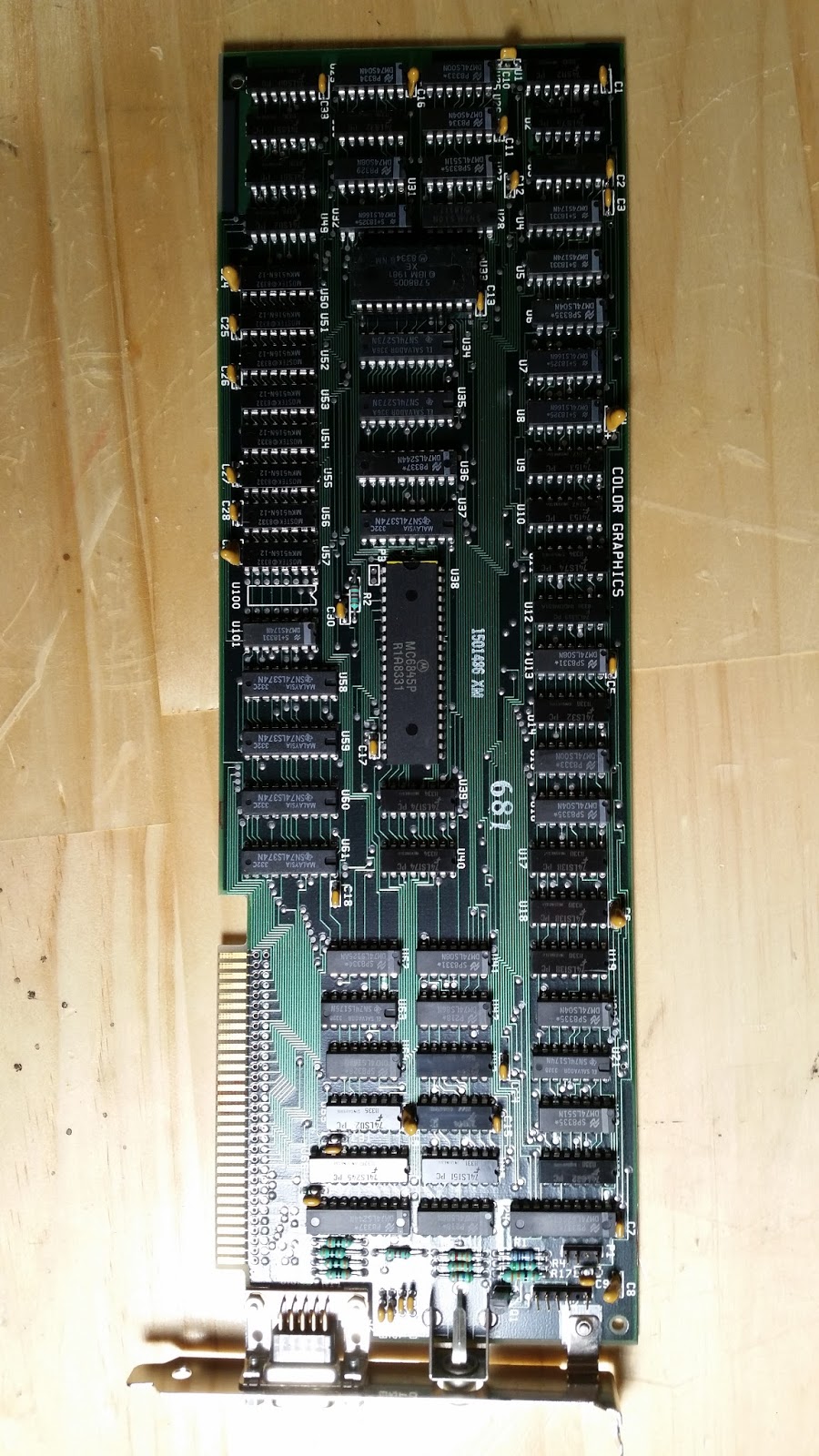
Here's the manuals and discs I received with it. I opened the manual to read the dip switch settings. The previous owner said that the CGI graphics card is dead, and that the PC starts up with one long beep and 2 short beeps, which means that either the graphics card is shot, or the dip switches are set for monochrome. After a bit of troubleshooting, I concluded that the CGI card was toast.

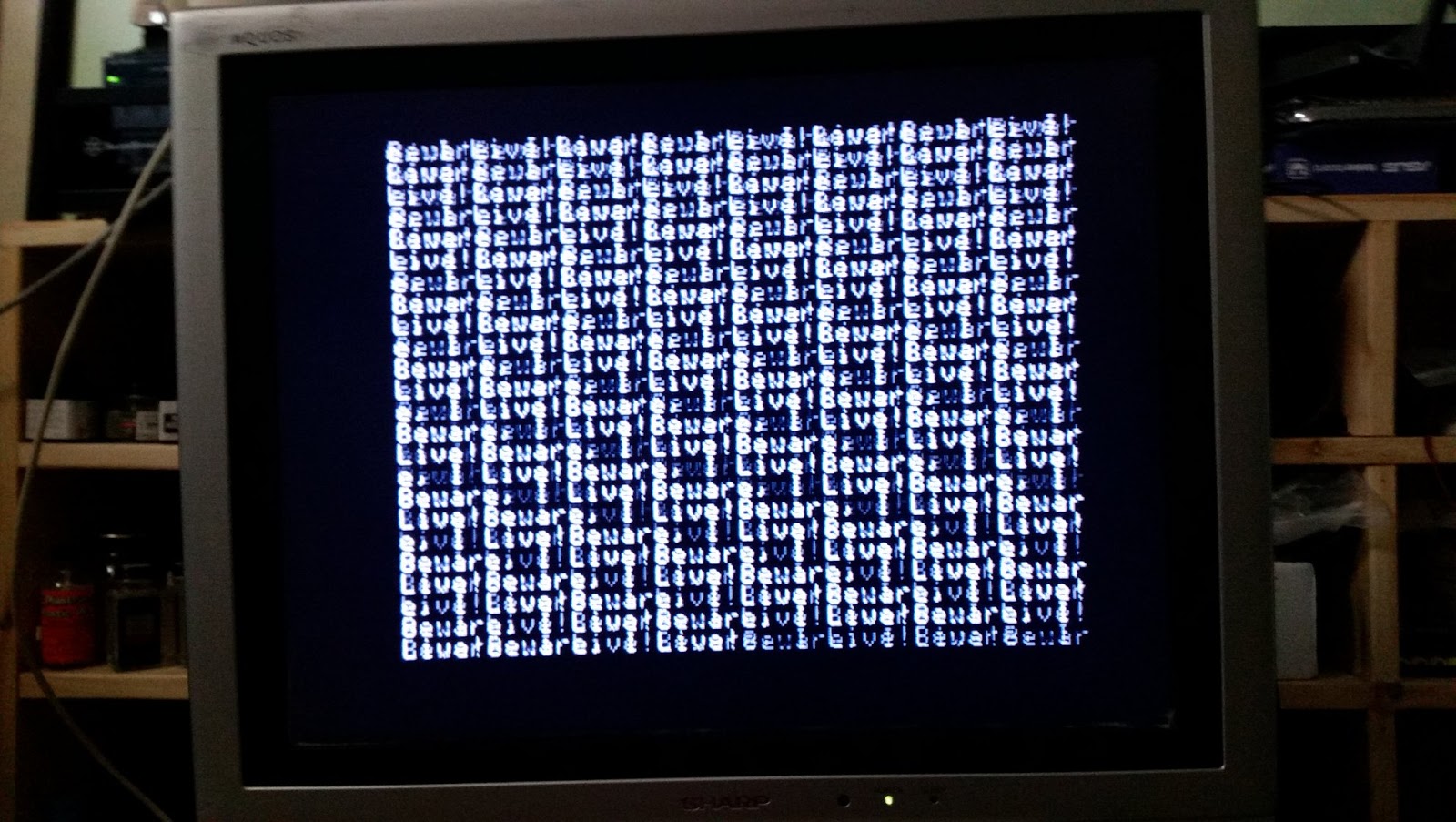
The offending CGI Card. It's a full length card, as most were back then. I am replacing it temporarily, with a VGA card that I got on Ebay. The VGA Card I got was one of the few that used the 8-bit ISA bus of the PC. I have to use it because right now, the only monitors I have to do troubleshooting and setup with, are VGA Flat panels. I'm searching for a good deal on an old "Hercules" monochrome card and original IBM monitor. Though CGI would be the nicer option, the "good old days" were green and monochrome, and that's what this particular model was shipped with, originally, according to the owner.

So I finally got a VGA card to go into this, and it works! I was able to get a display on one of my many flat-panel monitors. Now I have a different problem -- A RAM error. Looks like I'll have to find some old chips to troubleshoot the RAM on this. I have no idea if they're even still available. I haven't used a chip puller or insertion tool in decades! I feel so old now.

So it looks like the PC will not be in working condition until I can get the parity error fixed. I realized, too that these didn't have a built-in setup! I have to load the setup program from the Diagnostics floppy disc. The Motherboard is a 64-256 type, and the previous owner said it's loaded with 256K. There are a couple of ways to troubleshoot it. I'll start by bringing it down to the onboard 16K, and setting the dipswitches on SW2 accordingly, then one bank at a time till I find the offending chip(s).