Wednesday, October 31, 2018


The Original Pentium: The original Gaming Rig

Though I was gaming back as early as the original 8086/8088 IBM PC (and even before that, with Apple 2, TRS-80's, and early 8-bit home computers), the first big jump in gaming came when the first Pentium-based PC Clones hit the market. The 486-DX2-66 I had was replaced by a Pentium 166Mhz Main board with 1 GB of RAM. This was the era just before Windows 95 became available, when most of us were still running DOS and Windows 3. The Pentium gave us a new level of speed and performance that made the classic games, like Quake, possible. Older classics like Doom and Duke Nukem 3-D could now be enjoyed at full speed with the highest resolution offered -- 640x480 or 800x600. The era of the first-person shooter was kicked up a notch with 3D accelerator cards and a Pentium. Don't forget the Sound Blaster!

So I had no intention of getting this Pentium PC. The owner said that it was practically never used. But it was just a generic case and system in general. Then I thought about what I could do with it. With Floppy Drives, I could use it as a floppy drive imaging station or at least a floppy disc reading station for copying software to more modern media. It was only $30 and had a keyboard. Yeah -- just $30, and it looked almost new... but I'm seriously out of space in my computer refurbishing workshop!

I ended up getting it, along with a TRS-80 Color Computer that had a bunch of Program Packs. Total cost $50.


Here's the price sticker!


When I opened it up, I noticed this filth in the corner. It just looked like a load of dust, or maybe rust, but on closer inspection, it smelled of oil. So it was oil mixed with dust that had accumulated over the last 25-30 years. Really nasty. I had to clean this up and see if I can prevent the working computer from having issues related to this spill.


My weapons of choice: Good old Alcohol, and 2 kinds of Contact cleaner. I also used disposable dust-free wipes, cotton swabs, and a toothbrush.


After cleaning, the Soundblaster seemed much cleaner, and looked almost like new. Later testing revealed that it was still working.


The Motherboard was a little tougher to clean. The 16-bit ISA slots were full of oil, and were difficult to get in between, even with my trusty toothbrush. After repeated cleanings, I finally managed to get the oil off of it. I noted that the oil came off when I used the cleaning wipes -- yellow stains on the wipes were oil. Once I was able to clean the board without any more yellow oil stains, I figured that it was good to go. The slots were the most difficult, because I didn't know if oil got deposited inside of them. Fortunately, it looks like that wasn't the issue, as both slots work.


So here are the components that came with it...
We have a Toshiba XM-6002B 16X CD-ROM Drive.


A Western Digital Caviar 2.1GB Hard Drive.


An ATI Mach64 GT Graphics accelerator (Not a 3D accelerator)

A working standard Sony 3.5" 1.44 Floppy.


So I was confused why this was in there. The multi-I/O card had serial, parallel, IDE and Floppy Controller on it -- but the motherboard had all of those already. When I saw this, I immediately went into the BIOS to make sure that all the on-board hardware was enabled. It seems they were really interested in the floppy controller part of the board. The on-board floppy controller was disabled, but everything else was enabled. Th problem is -- nothing on the motherboard is broken, and the performance of this all-in-one card isn't any better than the motherboard. In any case, I'll just use this in another computer.


I added an Audio cable from the CD-ROM drive to the sound card. The PC didn't seem to come with one.

The 2.1G Hard Drive worked, and ran Windows 2000. I decided to leave it out for now, and go with a modern gadget -- the CF-CARD to IDE adapter! This will allow me to use a CF card like a hard drive -- only faster and more reliable -- and I can remove the card and plug it into my modern desktop to install more programs onto it. I can also have a card for different Operating systems. The card requires a power supply connector, and a slot.


The ATI Logo is animated and spins around when it posts.


Everything seems to be working so far...


So MSDOS6.22 boots up just fine on the flash card. See any familiar directories?

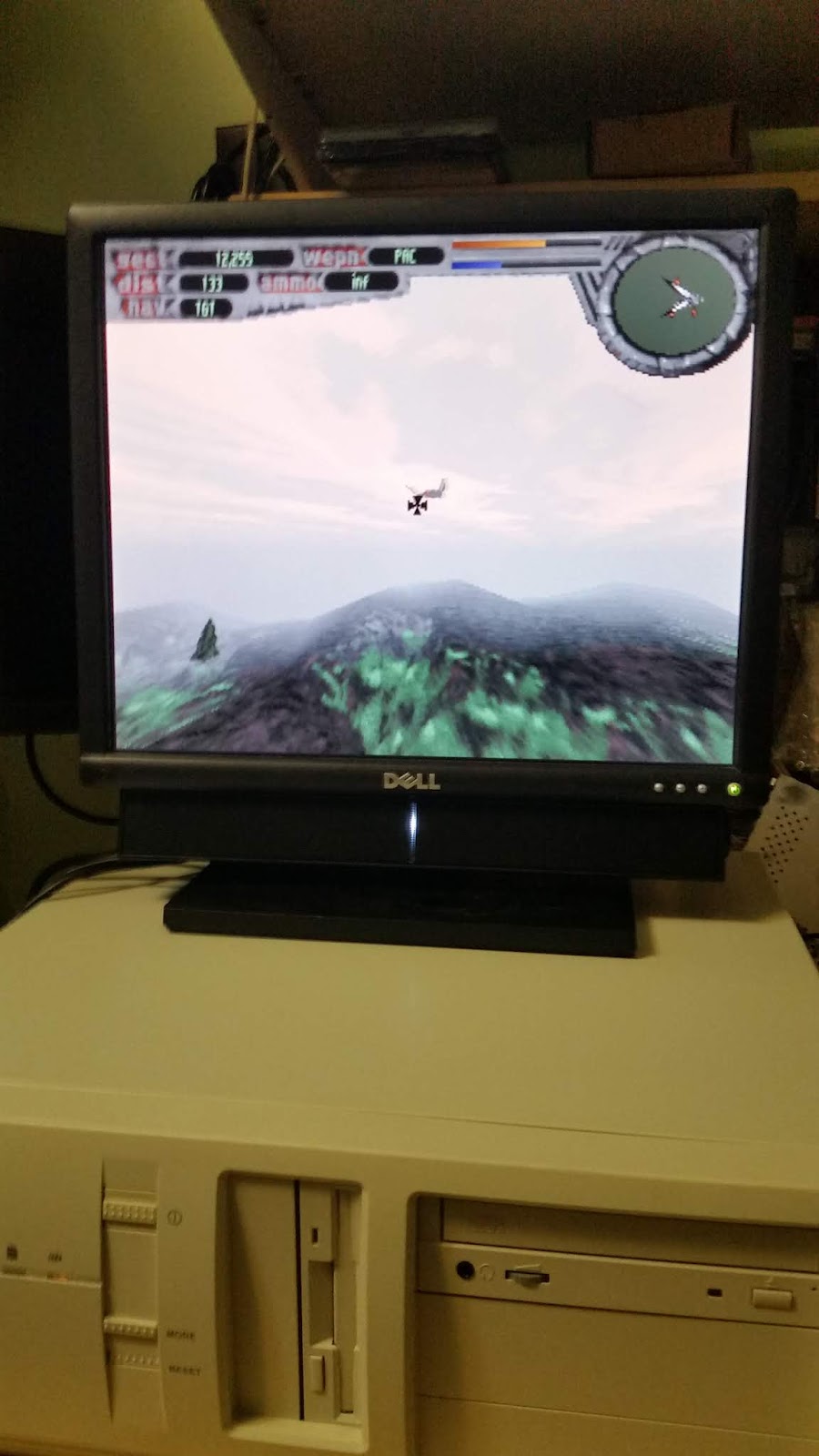
LET'S PLAY SOME GAMES!


The last picture is me looking over my cat's shoulder as she makes herself comfortable right in the middle of what I'm doing.

Thursday, September 20, 2018

Jocko-Taco's Osbourne 1 Computer

Some background, first. I never used an Osbourne before, and though I know CP/M, I have virtually no experience with this particular machine. I searched on ebay, and saw an auction about to end. With less than 10 minutes to go, and no bids, I bid $50 and won. Nobody else noticed it. Then I noticed that it said local pickup only! DUH! So I contacted the seller, and asked if he was able to ship it. I would pay all the shipping for it. He said no problem. He wazsn't a computer person, and this wasn't really a computer that he used himself. It was part of a barge of stuff in his house that he was trying to get rid of. He then explained that he had cancer, and he would be dead in a few months. Oh, man! Real bummer of a story, but he seemed cool about it. His name was jack, but his nickname is Jock, and his handle on ebay is Jocko-Taco.

I talked to him on the phone, after he called me to let me know it's on it's way. His voice reminded me of Tommy Chong, the classic stoner character. He sounded cheerful, laid back, and he totally accepted his upcoming death. "What am I gonna do," he said, "The doctors say there's nothing that can be done, so I just have to accept it, and live as best I can until it happens." He said he was selling off all the junk he had in his home so that he could travel and do things before he died. I honestly hope he wasn't selling it all on ebay, cause that's a lot of work!

Anyway, when the computer arrived, it was not in as good shape as I thought. The pictures were truthful -- no deception. All of the problems with it were not noticeable until you got it up close. He would have had to post really hires images to make the reality of it show.

What's wrong with it is:

  • Case plastic is yellow
  • screws are rusty
  • foam skids on the bottom are dried out and crumbly
  • the leather handle was dried out and crumbling
  • dirty, dusty all over
  • Interior had lots of dust and what looked like wood chips
  • When turned on, the screen flickers

So this is going to be a lot of work to get going again. I started by ordering a new Power supply, since they're only about $30. Less work! The pictures here are from me replacing the power supply.


So I stood it up and started removing the screws and knobs from the face plate.

You only have to remove one wire, after all the screws are out.

Next, you got to remove the screws around the handle.

Then the screws around the power switch.

Before you slide the insides out, you have only to remove these last 2 screws, located under the the left and right corners, under the floppy drives.

So here is the guts of the Osbourne, on the bench. The more I see of the Osbourne, the more I think the Kaypro was a much better-conceived machine. The case, and the way it's put together, combined with the ribbon-cable keyboard connector, and all the ports up front was just really bad design -- not very convenient for the user.

So here is the power supply. I decided to just replace it outright with a newly refurbished one, because I figured that I'd spend a lot more time and money refurbishing it myself. Plus, I wanted to make sure things were working before I started cleaning it and replacing the handle.

Here is the power supply being removed. It only has a ground wire, a connector to the power-switch, and 3 3-pin connectors for drives and main board; very quick and simple to replace.

After screwing the new PSU back in, I powered it up. It works, but it still has a flickering screen. After removing the keyboard cable, I discovered that the problem is not the PSU, but the keyboard. There must be a stuck key, or it's a membrane-type with foil discs falling off the foam pads.
So I'll have to update this after I've had time to explore the keyboard.

Wednesday, September 12, 2018

Kaypro 10 with 10MB Hard Drive!


I went to the Vintage Computer Festival in May of 2018. I went hoping to find some great bargains at the dealer's room, but mostly to see if anyone had any big old minicomputers on display. No luck on minicomputers, but plenty of micros were to be seen, including many rarities that I had never seen before. In the dealer's room on the first day of the show, I found this Kaypro 10 for sale for only $125. It had a note on it that said "10MB HDD. It works! Lots of software!". I stuck to it like glue until the dealer's room was ready for business!


What struck me, apart from the promise of the note on it, was that it was clean, no scratches, and looked like it was fresh out of it's box from 1984. When we got it back to the motel room, I had to fire it up! I did test it in the dealers room, too, but just long enough to see it boot. I wanted to actually use it.

The first thing I noticed about it when I started setting it up, was that unlike the Kaypro II I had, this one boasted a fan with an air filter -- something that most old computer manufacturers didn't think was necessary, but as we all know, air flow really is important in any electronics that generate heat. The big difference with the Kaypro 10 was that the Z-80A CPU ran at 4 Mhz, while the older Kaypro II was a Z80 running at 2.5 Mhz. It generated more heat, but seriously, it wasn't a noticeably hotter speed. But the fan was a great addition, which most likely helped preserve it by allowing it to run a little cooler.
In addition to the standard Centronics Printer port and 25-pin Serial port, was a second 25-pin serial port for a modem. Otherwise the computer had the exact same case, same power supply, and same monitor as it's older brothers. The case was definitely Kaypro's strongest point. It was a great, simple, effective design.

Pardon the blurry side view. The keyboard is essentially the same as the previous models. Same case, same layout. The only difference is that they are black, instead of blue. Same old Telephone handset cord to connect it up!
The new thing on this Kaypro that makes it even better is the folding stand underneath it. Most people used to lay the computer on top of the keyboard, which was easy, and worked, but the rubber feet would wear the paint. So they made this simple stand to prop it up to save the beauty of your keyboard's shiny finish. It's the little things that really make it seem like it's much more advanced, even though it's mostly the same as the older versions.

So here we go, all set up and ready for a spin! Literally -- since the hard drive inside of it is an old Winchester MFM hard drive, just like the 10MB hard drive you would get for your IBM PC or TRS-80 Model 3.

READY!
POWER ON!

Hard Drive activity!

CP/M 2.2 loading!
Never saw Master menu before! This was indeed a new thing to me. It's an old menu program that you could program yourself by editing a text file to point to your programs. I wasn't interested at all in trying to remember my CP/M skills. This menu made everything easier to get to!

Instinctively I locate the games -- those are the most important things to test your computer with!

Oh, boy! Space Invaders Clone! That really dates things!

I explored the hard drive, and found a lot of stuff. I believe that it may contain most of the Kaypro software that was produced during the 80's. Once i get a Floppy Emulator hooked up, I can begin rescuing it all to preserve it for others to download and run. It has several versions of BASIC on it, and a lot of basic programs. The important thing is that it works perfectly now, and that I can start backing things up as soon as I find the settings for the floppy emulator.


Compaq Portable

I found a pair of Compaq Portables on Ebay for $150. One was working, but had missing plastic parts. One was not working, and had all the plastic parts. So I jumped at it and was not disappointed. The working compaq portable had disks in the floppy drives, and one contained a working MS-DOS boot disk! That meant that I could at least test it once I turned it on. I quickly removed the plastic covers from the broken Portable, and installed them on the working one. I spend a couple of hours cleaning it, and it almost looks like new now. I will try to assess what it wrong with the broken one, and see if I can get it working. I may be able to find the plastic parts for it later, or come up with a funky solution.

After cleaning, I had a nice beige machine with hardly a scratch on it. The only casualty seems to have been the rubber feet on the bottom of the keyboard. They were old and had so much black stuff all over them that I opted to just replace them with new stick-on feet. I actually had matching ones in my spare parts. I believe I used them on Raspberry Pi boxes and other projects that needed feet.


The sliding panels on the side for the power cord and expansion slots worked fine.


And it even came with a power cord, not that I have a substantial collection of them by now.


So let's power this up and see what it does!


The floppy drive lit up! This is promising!


It booted! The disk in the drive was MS-DOS 3.12, but it was not a Compaq boot disk. It was IBM. I tried to run BASIC, but it came back ad said that I did not have the BASIC ROMs on the computer. This reminded me of the early DOS years, when IBM compatibles had this weakness -- you had to get a copy of Microsoft's GWBASIC, which was not dependent on there being BASIC in the ROM of the Motherboard. I also remember that some vendors sold bootleg IBM ROMSs to put into your clone motherboards. So in the future, I'll have to look for a copy of the Compaq boot disks that were shipped with this model, so I can test out some old BASIC programs.


The disk that was in the B: Drive of this did not seem to have anything readable on it. When I removed it, it had lots of dirt and crud all over it, but I don't know if that came from the drive, or because someone dropepd the disk, stepped on it a few times, lost it under a desk, and then just stuffed it back in the drive. Once I have more time, I can clean the inside of the computer and make sure the B: Drive is good.


Here is the Config.sys and the Autoexec.bat file. Oh, the memories...


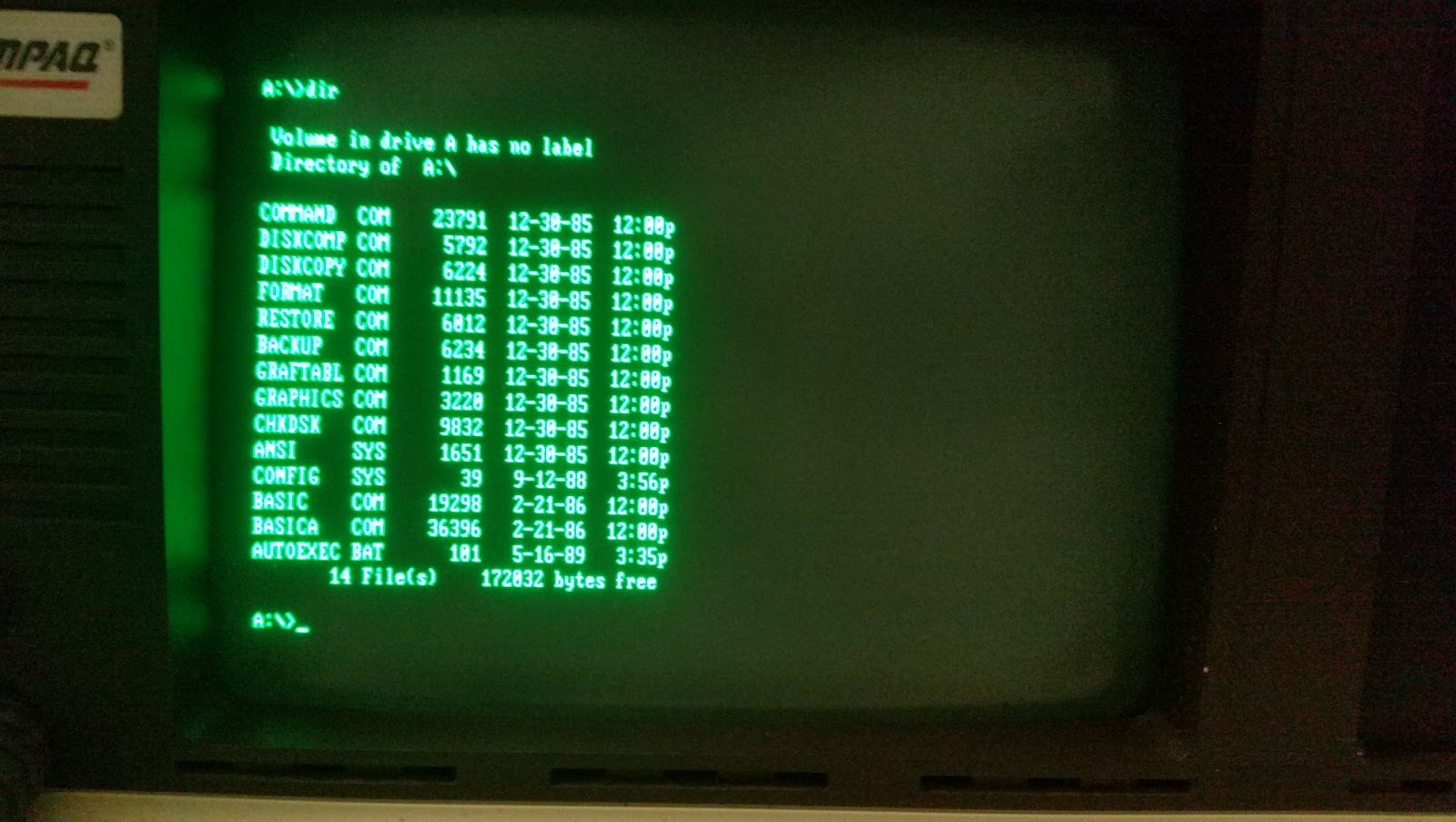
So here is the directory of the boot disk. BASIC, BASICA, FORMAT, DISKCOPY, DISKCOMP, RESTORE, BACKUP, GRAFTABL, and GRAPHICS are all old familiar names. All I need to do now if install a USB-Floppy Emulator, and start loading software. The Compaq Portable was one of the first true IBM PC Compatibles, and with it's glorious Monochrome graphics, I should be able to find a variety of software that I used to run on my own old IBM Clone. Otherwise, I realize that this is yet another cop-out, in the sense that I've not really worked on anything other than cleaning it up. I haven't restored anything or fixed anything that was broken -- but really, if it ain't broken, why fix it?


Tuesday, June 19, 2018

Current Vintage Computer Collection as of 19-JUN-2018

So here is what I have in my collection so far...

System/Model Release Year Notes
Atari 400 1979 Working perfectly
Atari 800 1979 Working perfectly
Atari 600XL 1983 Working perfectly
Atari 800XL 1983 Working perfectly
Atari 1200XL 1983 Working perfectly
Atari 65XE 1985 Working perfectly
Atari 130XE 1985 Working perfectly
Atari 1040ST 1985 Working Perfectly
IBM PC 5150 1981 No Monitor, has bad RAM, needs RAM Tests, possible new RAM
Kaypro II 1981 Working perfectly
Kaypro 10 1983 Working Perfectly, has 10MB HDD!
Osbourne 1 1981 Needs a new Power Supply
TRS-80 Model 3 1980 1 Broken Floppy drive, but works
TRS-80 Model 4 1983 Working Perfectly
TRS-80 Model 4P 1983 Working Perfectly
TRS-80 Color Computer 1980 With Floppy Drive, accessories
TRS-80 Color Computer 2 1983 Working perfectly
TRS-80 Color Computer 3 1986 Working Perfectly
TRS-80 MC-10 Micro Color Computer 1983 Works Perfectly
Apple 2E 1983 Working Perfectly
Apple 2C 1984 With Monitor, Working Perfectly
Macintosh LC 1990 With 12" Color Monitor, Working Perfectly
Power Macintosh 6100 1994 Working Perfectly
IMac G4 2002 Working Perfectly
Power Computing Powerwave 604 1997 Working Perfectly
Mac Mini 2014 Needs HDD Replacement
DEC VT220 Terminal 1983 Working Perfectly
DEC VT320 Terminal 1987 Working Perfectly
DEC VT420 Terminal 1990 Working Perfectly
DEC VT510 1993 Working Perfectly
DEC Rainbow 100+ with 20MB HDD 1982 Working -- but need proper Video Cable to test
DEC Rainbow 100 1982 Need video cable
Sun Sparcstation Ultra 1 1995 Works, Needs new NVRAM. Awaiting diagnostics
Sun Sparcstation Ultra 5 1998 Works, Needs new NVRAM. Awaiting diagnostics
Sun Sparcserver 1998 Works, Needs new NVRAM. Awaiting diagnostics
TI 99/4A 1981 Working Perfectly
Timex/Sinclair 1000 1981 Working
Sinclair Spectrum 1982 Working
TRS-80 Color Computer 1980 With Floppy Drive, accessories
Compaq Portable 1983 Works, but 1 floppy is bad
Russian Krovum 64 1992 Russian Sinclair Clone!
Russian Delta SA 1991 Another Working Russian Sinclair Clone!

I've been so busy making display space for them all, and getting them repaired, and acquiring software for them that I haven't had a chance to blog about it much. With my dayjob, and other hobbies, I have to find time to document these things when I can.

One project I hope to start real soon is hooking up one of the terminals to a Raspberry Pi running SimH, emulating both a DEC PDP-8 and a DEC PDP-11.