Wednesday, February 28, 2018

TRS-80 Color Computer 2


The very first computer that I ever Owned was a silver TRS-80 Color Computer. At $400, it was one of the cheapest computers. Having a friend who already had one and seeing it in action was what convinced me to get it.

I just purchased a Color Computer 2 off of ebay for $69. It's on the way as of this writing. I am looking for a Floppy controller and drives for it. I know that any 5.25" 360K disk drives from PCs should work, if I have to come up with my own. I won't pay $100 or more for a floppy drive when you can still get them for $35 in almost new condition. My Color Computer was upgraded with an after-market keyboard that put a real keyboard in place of the chicklet/membrane keyboard of the original Coco. This will not be an important part of the one I look for.

I am still looking for a color computer model 1, because the CoCo-2, even if it works, is not as significant. But while I have the $69 Coco-2, I can at least get started with getting discs and software set up, so that when I do get the original CoCo, it will have software ready for it.

My original Color Computer looked like the Below image, until I removed the silver paint, leaving the whole thing black.

This is what the original looked like, with it's red, white, and black chicklet keyboard.

ADDENDUM
Due to my overly pessimistic bidding habits on Ebay, I assumed that if I placed a bid on 3 different Color Computers, I'd get at least one of them, should a bidding war break out at the last minute. Most of the computers I've bid on recently ended in bid wars, where I either stopped when the price got too high, or someone placed a bid for $1 more at the last minute and won. This time, however, I ended up winning all of them, while only expecting just one. So now I have a Color Computer 2 and 2 original Color Computers, 2 of which have disk controllers. Looks like I'll be selling at the MIT flea market again!

ADDENDUM
The Coco 2 turned out to be 16K, and had no extended BASIC ROM. This was not what the seller advertised. He clearly said it was the 64K model. So I ended up returning it for a refund. The other 2 original Color Computers actually arrived. Both are in perfect working condition, and the one with the floppy drive is working. I now have 2 of them with disk controllers. All I need is a floppy drive for the second one. The one that had no accessories ended up being fully restored -- it was repainted with the correct silver pain, and looked new. The inside was spotless, also. I have a friend whom I'll be giving it to. I decided that it'll be better to do that than just sell it.

Thursday, February 22, 2018

Apple 2E from Ebay

I got this Apple 2E with 2 floppy drives, from an Ebay sale. The seller said that it's been tested and works, but he's doesn't have any disks to test the floppy drives -- which I totally get, since I don't either!
$89 "Buy it now" deal from Ebay


The Manufacturer's label on the bottom, with serial number

Since the vendor was local, I decided to drive up to their warehouse to pick it up, because he said they have a lot of other stuff that might interest me. So I went, and he was right. They had a lot of oldies there, including a beloved VT-100 Terminal -- no keyboard, of course, just like I always see them. They had a surprising amount of old 80's computers, X-Boxes, Game Consoles, and minicomputer parts. One of the things I almost got was a DECMate 350, but I seriously don't even have any leads on software for it. But I bought the Apple 2e, and in spite of the missing #9 key, everything about it was great


The #9 key is missing, and the post is broken clean off

The interior, where the main board and cards are, was pristine. No dust at all. The circuit boards were shiny, and there were noy many tings that needed cleaning. It was like it was almost new. The floppy drives were a little banged up -- scratched paint, missing rubber feet, but an inspection revealed that they work, and that the insides are as pristine as the inside of the computer. I simply lubricated the drive shafts, and cleaned the heads with alcohol.


The inside of the floppy drive

Before leaving the warehouse, I asked the guy there if they had any composite monitors to use with it. He said that sadly, they only had one, and it was the only thing they had to test these old Apples, C-64's, and other composite video computers. It was not for sale. So on the way home, we stopped at a Savers, and I found a nice old square flat TV! Yeah - a flat screen TV from the era before widescreen was standard! It was perfect for this purpose, because it had many inputs, including VGA and composite. So that means that I can use this to test different 8-bit systems -- at least until I get a real antique monitor for the Apple 2E.


The $20 TV from Savers.
IF you are in need, Savers nearly always
has cheap computer monitors and TV sets
and they all work. Most monitors are only $10.

Once I powered it up and confirmed that it was working, I hit CTRL-RESET, and got into Apple Basic. I wrote a quick program and ran it. The Apple worked fine. So now comes the fun part -- assembling the software.

Check the Apple 2 resources on my sidebar above. You should find links to Apple Disk Transfer Pro, or ADPro. This program allows you to boot your Apple 2 off of a PC that hosts the files. You can connect a variety of way -- using a serial null-model cable (Fastest), and via the headphone jack -- you plug one into the PC's audio out, and the other end into the Apple's Mic jack. You don't even need an apple boot disk. You actually load the software from the PC link cable, and it runs. From there you can format a disk, make it bootable, and install the Apple ProDOS image onto it. Even better, though, you can eliminate the floppies altogether, and just run software directly from your PC's shared Apple folder -- But what fun would that be? Yeah -- it's actually FASTER than running programs from a floppy disk. Imagine that.

ADDENDUM

Well, I found another Apple 2e on Ebay for $89, and this one has a working Apple Color Monitor, and Duo Disk drive. The Apple 2e works, too, so I'll be setting that one up for my collection, and I'll probably re-sell the other Apple 2e. I guess whichever one looks best after cleaning -- and I'll just swap the keyboards as needed.

ADDENDUM 2

Well, I transplanted the keyboard into the original Apple 2, because it was the cleaner of the 2. The new Apple 2 has an extended memory card. I have to pull together some software to test it. I have the cables on order to allow me to serve the Apple from my PC, as well as some floppy discs. Once they arrive, I'll see if I can at least test out all of the floppy drives I now have. I know that at least one of the drives works, because it is able to tell that a disc cannot be booted from, and gives a message hat "this is a data disc, not a boot disc". Once I start acquiring software for the Apple 2, I can determine if I need the SD card reader.

Thursday, February 1, 2018

The Original IBM PC

SO, I got home yesterday, and on my porch was a box that contained some smaller boxes.

SO I carefully unpacked it on my workbench, and this is what I pried out of the boxes:

Most people will look at my old IBM PC 5150 and say "Why did you buy that piece of junk?"

The Original IBM PC was a groundbreaking and historical computer, which launched a revolution in personal computers. Though I'll likely not be using it for playing DOOM or surfing the web, it sure will be like a 1963 Ford Mustang in an auto collection. There were millions of them made, and many are still on the road and in automotive museums. The PC is special, because like the Apple 2, it was an affordable computer that millions of Americans bought, and for which tens of thousands of programs were made. It had an enormous long life, and spawned hundreds of "clone" PC parts vendors.

Purchased on Ebay for $117, this pristine, clean unit came with the original manuals and discs, and the extremely heavy, but still glorious Model F keyboard.

The keyboard weighs about 10 pounds -- it feels like it's all metal. Since my first PC Clone had a plastic el cheapo keyboard, I never really had a chance to pick up and feel the weight of this keyboard. I've seen plenty of PC AT keyboards, but by the time those cam out, IBM had made them a lot lighter.

Here's the labels with the serial numbers and other stuff. The original PC came with a Cassette port, which you would use with a standard mono tape recorder. I've never seen anyone use those before. It was definitely the cheapest option when you bought them, but the floppy drive was pretty much the standard for most.

As we can see, it has only 5 slots for expansion cards. Believe it or not, you needed one just for floppy drives. Nothing but the keyboard connector and cassette deck were built into the motherboard on the original PC. So if you wanted floppy drives, a printer port, and video, you had 3 of your 5 slots taken up already. It's easy to see how the 8-slot PC/XT was quickly behind this, since adding a hard drive took up your 4th slot, and expanding your memory beyond 256K took up another. This is simply how it was in the good old days.

When I took off the cover, I was amazed at the complete lack of dust or any appearance of wear. The owner took really good care of this, and I didn't even see any smudges from fingerprints anywhere.

Here's the NEC 8088 chip. Not intel. This usually means that the owner upgraded to the NEC chip to get a boost in speed. Not much, though. No 8087 chip, but then, most people didn't buy those.

The floppy drive still had the cardboard insert, to protect the heads during shipping! The owner obviously took good care of it, even after he sold it. I personally thanked him for taking such good care of this thing, because it really is yet another PC I'll not have much work to do to get it restored.

Here's the manuals and discs I received with it. I opened the manual to read the dip switch settings. The previous owner said that the CGI graphics card is dead, and that the PC starts up with one long beep and 2 short beeps, which means that either the graphics card is shot, or the dip switches are set for monochrome. After a bit of troubleshooting, I concluded that the CGI card was toast.

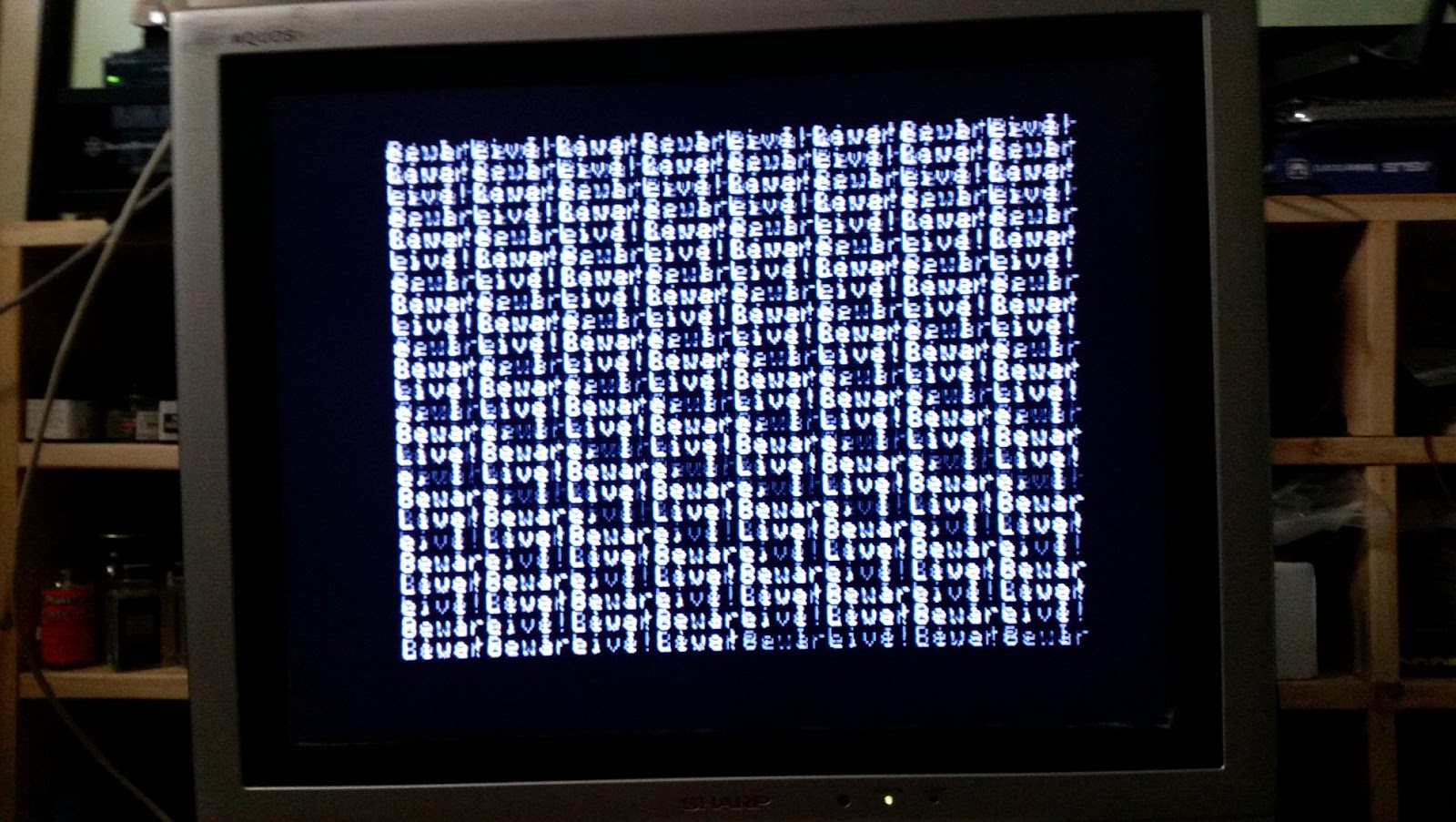
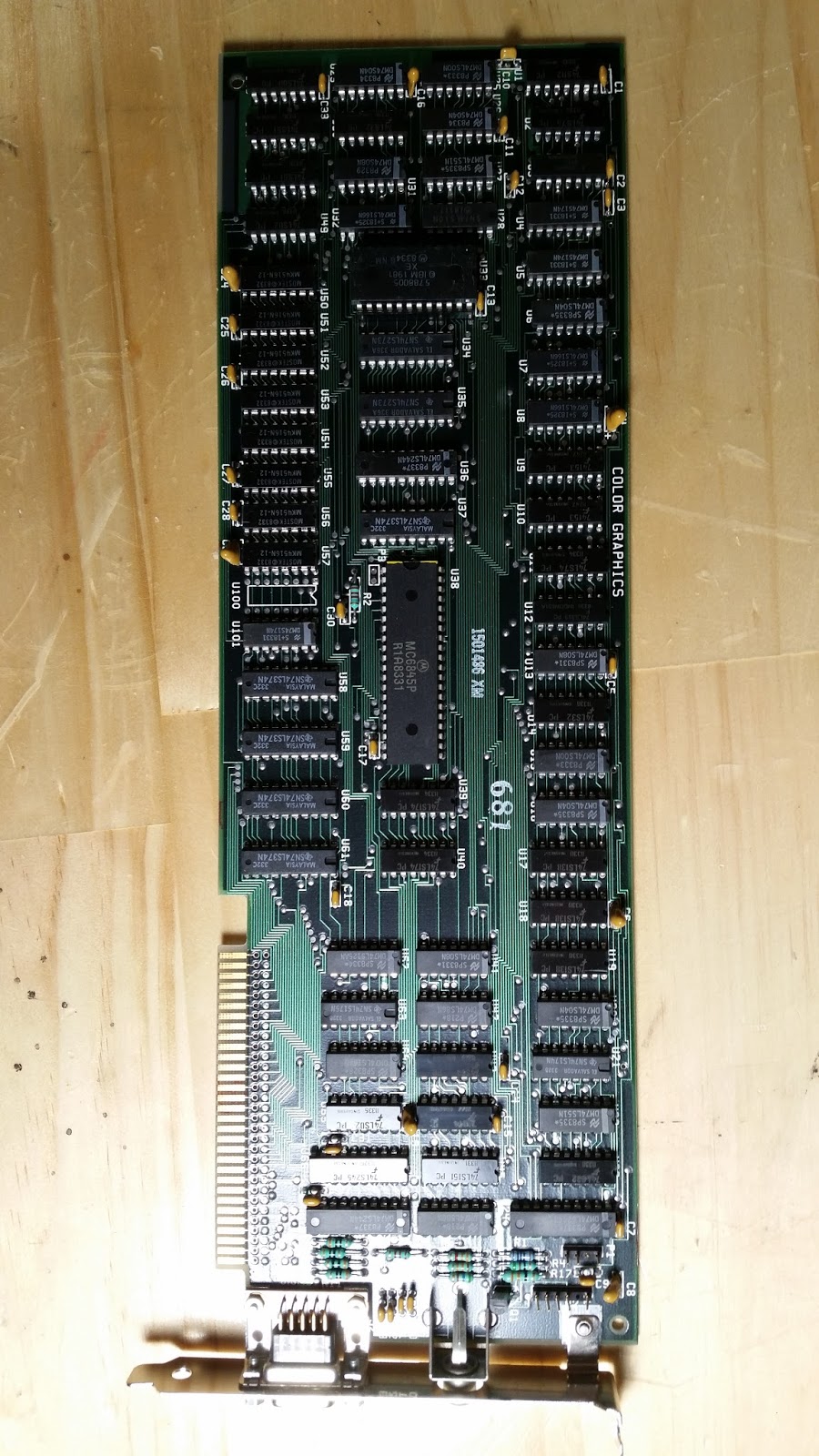
The offending CGI Card. It's a full length card, as most were back then. I am replacing it temporarily, with a VGA card that I got on Ebay. The VGA Card I got was one of the few that used the 8-bit ISA bus of the PC. I have to use it because right now, the only monitors I have to do troubleshooting and setup with, are VGA Flat panels. I'm searching for a good deal on an old "Hercules" monochrome card and original IBM monitor. Though CGI would be the nicer option, the "good old days" were green and monochrome, and that's what this particular model was shipped with, originally, according to the owner.

So I finally got a VGA card to go into this, and it works! I was able to get a display on one of my many flat-panel monitors. Now I have a different problem -- A RAM error. Looks like I'll have to find some old chips to troubleshoot the RAM on this. I have no idea if they're even still available. I haven't used a chip puller or insertion tool in decades! I feel so old now.

So it looks like the PC will not be in working condition until I can get the parity error fixed. I realized, too that these didn't have a built-in setup! I have to load the setup program from the Diagnostics floppy disc. The Motherboard is a 64-256 type, and the previous owner said it's loaded with 256K. There are a couple of ways to troubleshoot it. I'll start by bringing it down to the onboard 16K, and setting the dipswitches on SW2 accordingly, then one bank at a time till I find the offending chip(s).

Sunday, January 28, 2018

Easiest Vintage Computer Restoration Ever!

How often does this happen to you?

So I'm over a friend's house, checking out his VR setup, when his system simply refuses to work long enough for me to play any of his new VR games from Steam. While he's troubleshooting the issue, I bring up the topic of a computer I found and am thinking of buying -- an old TRS-80 model 4. He asks why would I want to buy a 30 year old computer? So I tell him that it's sort of like antique collecting or old car restoration. Instead of needing a garage to house them, though, your vintage computers would fit in your bedroom or living room in a display case. Much more than simply old computers, they are parts of history, and if they still work, you can show people what it was like back in the olden days, when there was no mouse, and you had to type complicated commands like

"COPY frogger.* :0 :1 x"

So during this conversation, he tells me, "So would you be interested in an old Mac. I'll give it to you for exactly what I paid for it."

"What did you pay?", I asked.

"Twenty bucks." was the reply. He told me that he got it for a small project that involved getting a friend's files copied from one old original mac to his PC, and that the LC was a cheap and quick way to do it. The price was right, also. He said it comes with the 12" color monitor, a Stylewriter printer, and a couple of boxes full of discs that, the last time he used it, worked fine.

I had seen this computer sitting on his bookshelf several times before, and he asked me several times before if I was interested, but this was the first time I actually had the interest. So we hopped into my car, drove to an ATM, and I gave him $40, because it was still a steal at that price.

When i got it home, I was amazed. It's almost as if it were never really used.

When I got it home, I plugged it in, and turned it on. The 40MB hard drive was noisy, but that's sort of expected for a 25-year-old computer. The fact that it still spun up was amazing enough. Below are images of the exterior and interior. I took out the hard drive and the floppy drive to show how shiny and clean everything was.

Thankfully, the thing was never owned by a smoker. It came in the original boxes, too, with the address of the single previous owner on it, complete with her mailing address, because it was shipped to her home. There was just a tinge of yellowing on the keyboard and mouse, from age. I quickly wiped them down with peroxide, and the original light grey came back. The mouse just had a tiny amount of dust inside.

The Macintosh LC, along with all of the Macintosh 2 computers, like the 2, 2X, 2C, 2CX, 2Ci, LC, LC2, LC3, and others, was built with the technician in mind. Only one screw on the back was needed to keep the case on. And most people left it off. The Case lid snapped into place, and stayed on just fine, without a screw. Even better, all the components in the case simply snapped out of their places. In seconds, you could remove and replace a bad floppy drive, hard disc, or power supply. There were very few PC-clone cases that were put together with such forward-thinking conveniences in them. Even today, no PC manufacturers make their cases so that you can snap everything into place. You still need a pile of screws which can get lost, fall into the case and be difficult to remove, as well as adapters for certain components.

The old Macs were a technician's dream come true. You could have any problem fixed in a few minutes, with no screws.

So here is what I saw when turning it on:

It's alive!

System 7.1

10 MB of RAM

40MB Hard drive (Yeah, not GB!)

All in all, hardly any restoration was required. Just a little blown air for a tiny amount of dust, and some hydrogen peroxide to whiten the plastic parts, mostly just the keyboard and mouse. The monitor is still as sharp as it was when it was new. The Software works, but I'll be getting some disk tools to put a fresh new OS on it, as it would be from the factory. The first entry into my vintage computer collection is going to be useful in getting any original Macintosh running, as I can make copies of the system 6 discs, or even better, the original 5.4 system that shipped with the first Macintosh in 1984.

Since I currently have no discs with Macintosh software (I forgot to pick them up when my friend and I did the transaction, Doh!), I'll have to wait for that. Once I get the discs, I'll see if I can put together a 720K disc to test my first original Mac. I still have the T-handle Hex wrench and case spreader used to open them.

ADDENDUM 19-FEB-2018 -- 2 things I didn't mention before. The clock battery and the speaker did not work. I located a source of LC Batteries, and bought a pack of 3 for $5. The Mac now retains all the settings for color, date, and time.

The other issue I found was the speaker was really low -- almost inaudible, even when the settings are cranked up to the loudest. I located a replacement speaker at You Do It Electronics, desoldered the original Mac speaker, and re-soldered the wires to the new one. Problem solved.

I have the software that I left at my friend's house, and there are no Macintosh System discs among them. Fortunately, I think I can find some online somewhere. However, most of the dics are readable, and the software is intact. I should be able to get moving on getting more stuff together soon.


USB Arcade Console

So you've gotten yourself a copy of M.A.M.E., or RetroArch, and you want to use it as the heart of a video gaming system, with authentic arcade controls? My previous article on building a JAMMA multigame arcade machine, though Similar, was an all-in-one project. This project was to make a console box that you could hook up to any computer to play your arcade and/or home console games on.

Though just a glorious plain old pine box at heart, this was my first time working with arcade controls, and the box ended up being much larger than required -- at least taller.

Just a plain rectangular box, based on the amount, and placement of buttons and joysticks. The top of the box is where all the controls are located, and I hinged it to the box so that there would be easy maintenance.

The holes are 1-1/16th size holes, based on the width of the threads on the buttons. I tested a variety of bits on this. The worst to use are the blade-type bits. They're too messy and tend to make rough holes and sometimes break the wood. A standard drill bit is hard to find in that width, without it being really long, and expensive. In the end, I went with a hole-boring kit that I got from Harbor Freight. This is the type of bit that is used for putting holes for door-knobs into doors. The kit had a variety of different size head, including 1-1/16".

Here I am testing the size of the holes.

The Joysticks use the same size holes as the buttons do, but you need to account for the square body of the joystick, when planning out the locations of your controls. Here is the finished console.

I decided on the trigger/flight-style joystick for maximum compatibility. With a trigger finger button and a thumb-button, the joysticks will allow you to easily play games like Battlezone, Tron, and other games where triggers on the joysticks are important for control. They are not analog -- they're just 8-way, so analog joystick games are not possible. If you're wondering what games use analog sticks, that would be arcade classics like Williams' Blaster and Sinistar, Atari's Red Baron, and Cinematronics' Tailgunner.

With this arrangement, complex game controls like those of Taito's Assault, could be duplicated for near-perfect arcade feel.

I added a spinner knob so that games like Omega Race, Mad Planets, Tron, and other games that used a combination of joystick and knob, could be played.

The wiring from the underside. Pardon the out of focus photos.

The USB controller being used is the one from X-gaming. There are cheaper ones you can use, but this has the support for a trackball and a knob built into it. I got the joysticks and knob from Ultimarc.com. They are one of the few places wher e the trigger-finger sticks are less than $20 each. The spinner knob is expensive. I have no idea why, but suspect it's because of the fact that it weight a pound, and is made of solid steel.

Finally, testing the box on my laptop running MAME.

The biggest advantage to this is that it's universal -- it works on any computer with USB support.

One thing I decided on doing was actually mounting a Raspberry Pi or tiny NUC-sized computer inside of the box, so that it would be an all-in-one system. You would just have an HDMI cable going to your TV, and a power cord for the computer inside.

There is certainly plenty of room in the box.